Amazon 追踪包裹、货物
在您的智能手机或平板电脑上下载 Amazon Shopping 应用
选择APK
下载适用于Android的应用

Amazon Shopping
Amazon Mobile LLC 包含广告 - 病毒检查
 - ★
- ★
- ★
- ★
- ★
扫描此二维码以在Android上安装应用程序。
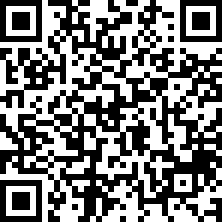
如何在Android上正确安装应用程序?
- 在您的Android设备上打开Google Play商店或点击下载按钮。
- 找到移动应用程序“Amazon Shopping”,检查设备要求,然后点击“安装”。
- 等待应用程序下载并安装完成。
- 在安装过程中,授予必要的权限,例如访问相机、麦克风、联系人等。
- 打开Amazon Shopping应用程序并登录您的帐户。
- 安装应用程序后,建议定期检查更新。
数据安全
安全性始于了解开发者如何收集和共享您的数据。数据隐私和安全实践可能因您的使用、地区和年龄而异。开发者提供了这些信息,并可能随时间更新。
应用隐私
共享数据
可能与其他公司或组织共享的数据:
收集的数据
此应用可能收集的数据:
安全实践
评分和评论
关于应用
Product Features Amazon Shopping offers app-only benefits to help make shopping on Amazon faster and easier than shopping on your desktop. Never miss a delivery Get real-time tracking and delivery notifications so you know where your package is and when it arrives. Know exactly what you’re purchasing Full 360° product view lets you see items from every angle. “View in your room” makes sure it fits by using your phone’s camera and VR so you can see it in your space. We’ll notify you when items go on sale Just tap the heart icon to save items to Your Lists and we’ll alert you of price drops so you don’t miss a deal. Never forget your password Save time by staying securely signed in. If you prefer to sign out, use facial or fingerprint identification to sign back in. Connect with us when it works best for you Live chat support is open 24 hours, 7 days a week. Once you’ve started a chat, it stays that way for 24 hours so you don’t have to start your support session from the beginning. We’ll find that item for you Not sure of an item’s brand or where to buy it? Just tap the scan icon in the search bar, take a picture of the item or its barcode, and we’ll find it for you. Product Description Browse, search, view product details, read reviews, and purchase millions of products. We deliver to 100+ countries in as quickly as 3-5 days. Whether you’re buying gifts, reading reviews, tracking orders, scanning products, or just shopping, Amazon Shopping app offers more benefits than shopping on Amazon via your desktop. Important Note Regarding Permissions Please note that the Amazon Shopping app requires access to the following services to operate properly: * Contacts: Allows you to send Amazon gift cards to your contacts or invitation to install the Amazon app. * Camera: Allows the Amazon app to access your camera on the device. You can use your camera to find products by scanning the cover or its barcode, to add gift cards and credit cards, or to add pictures in the product reviews. * Flashlight: Allows the Amazon app to turn on the flashlight. You can use the flashlight to find products with the camera feature even in low-light or dark conditions. * Microphone: Allows the Amazon app to access your microphone to use your voice to search and interact with your Assistant. * Location: Allows the Amazon app to access your location to help you discover local offers and select addresses fast. * Account: Allows you to share products on Amazon with your friends and families through Facebook or other social networks. * Phone: Allows the Amazon app to pre-populate the Amazon Customer Service number on your phone’s keypad. * Storage: Allows the Amazon app to store your preferences so that some features can load and run faster on the device. * Wi-Fi: This permission is used when setting up either a Dash Button or Dash Wand using the Amazon Shopping app. The Amazon App for Tablets is available on Google Play. Search for "Amazon Tablet" to install the app and begin shopping. For customers located within the European Union, United Kingdom, Brazil, or Turkey: By using this app, you agree to Amazon’s Conditions of Use applicable for your country. Please also see the applicable Privacy Notice, Cookies Notice and Interest-Based Ads Notice for your country. Links to these terms and notices can be found in the footer of your local Amazon homepage. For all other customers: By using this app, you agree to the applicable Amazon Conditions of Use (e.g. www.amazon.com/conditionsofuse) and Privacy Notice (e.g. www.amazon.com/privacy) for your country. Links to these terms and notices can be found in the footer of your local Amazon homepage.
更改日志
32.13.0.100
16/07/2026
Access popular pages quickly with our new shortcuts. Tap and hold the Amazon app icon to access your Orders, Daily Deals, Shopping Cart, and Search.
Enjoy our latest update where we have fixed some bugs and improved our app to provide you a seamless shopping experience
32.12.4.100
17/06/2026
Access popular pages quickly with our new shortcuts. Tap and hold the Amazon app icon to access your Orders, Daily Deals, Shopping Cart, and Search.
Enjoy our latest update where we have fixed some bugs and improved our app to provide you a seamless shopping experience
32.11.0.100
20/05/2026
Access popular pages quickly with our new shortcuts. Tap and hold the Amazon app icon to access your Orders, Daily Deals, Shopping Cart, and Search.
Enjoy our latest update where we have fixed some bugs and improved our app to provide you a seamless shopping experience
32.10.1.100
13/05/2026
Access popular pages quickly with our new shortcuts. Tap and hold the Amazon app icon to access your Orders, Daily Deals, Shopping Cart, and Search.
Enjoy our latest update where we have fixed some bugs and improved our app to provide you a seamless shopping experience
32.9.0.100
23/04/2026
Access popular pages quickly with our new shortcuts. Tap and hold the Amazon app icon to access your Orders, Daily Deals, Shopping Cart, and Search.
Enjoy our latest update where we have fixed some bugs and improved our app to provide you a seamless shopping experience
信息
| 应用名称: | Amazon Shopping |
| 当前版本: | 32.13.0.100 |
| 应用发布: | Dec 10, 2014 |
| 包名: | com.amazon.mShop.android.shopping |
| 安装次数: | 1,000,000,000+ |
| 评分: | 4.4 |
| 评论: | 350271 |
| 得分: | 4 659 535 |
| 价格: | Free |
| 价格(应用内购买): | 免费 |
| 应用内购买(IAP): | 是 |
| 开发者: | Amazon Mobile LLC |
| 开发者邮箱: | [email protected] |
| 开发者网站: | https://www.amazon.com |
| 隐私政策: | https://www.amazon.com/gp/help/customer/display.html?ie=UTF8&nodeId=468496 |
| 类别: | Shopping |
| 预注册: | 否 |
| 抢先体验: | 否 |
| 可在Play Pass中使用: | 否 |
如果在安装或使用应用时遇到问题:
- 确保已安装应用的最新版本。
- 重新启动手机以解决可能的临时错误。
- 在设备设置中检查应用的安全设置和权限。
- 如果问题仍然存在,请联系应用开发者并提供有关问题的详细信息。
下载适用于iPhone

Amazon Shopping
AMZN Mobile LLC 病毒检查 - ★
- ★
- ★
- ★
- ★
要在iPhone上下载应用程序,请扫描此二维码。
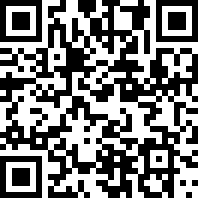
如何在iPhone上正确安装应用程序?
- 在您的iOS设备上打开App Store或点击下载按钮。
- 找到移动应用程序“Amazon Shopping”,检查设备要求,然后点击“安装”。
- 等待应用程序下载并安装完成。
- 使用Face ID或Touch ID确认应用程序安装。
- 打开Amazon Shopping应用程序并登录您的帐户。
- 安装应用程序后,建议定期检查更新。
数据安全
应用隐私
隐私实践可能会因您的年龄、所涉及的功能或其他因素而有所不同。 更多
评分与评论
关于此应用
Amazon Shopping offers app-only benefits to help make shopping on Amazon faster and easier. Browse, view product details, read reviews, and purchase millions of products. Amazon delivers to 100+ countries in as quickly as 3-5 days. Whether you’re buying gifts, reading reviews, tracking orders, scanning products, or just shopping, the Amazon Shopping app offers more benefits than shopping on Amazon via your desktop. Never miss a delivery Get real-time tracking and delivery notifications so you know where your package is and when it arrives. Know exactly what you’re purchasing Full 360° product view lets you see items from every angle. “View in you room” makes sure it fits by using your phone’s camera and VR so you can see it in your space. We’ll notify you when items go on sale Just tap the heart icon to save items to Your Lists and we’ll alert you of price drops so you don’t miss a deal. Never forget your password Save time by staying securely signed in. If you prefer to sign out, use facial or fingerprint identification to sign back in. Connect with us when it works best for you Live chat support is open 24 hours, 7 days a week. Once you’ve started a chat, it stays that way for 24 hours so you don’t have to start your support session from the beginning. We’ll find that item for you Not sure of an item’s brand or where to but it? Just tap the scan icon in the search bar, take a picture of the item or its barcode, and we’ll find it for you. In order to provide a rich experience and enable features such as voice shopping, notifications, visual search, customer reviews, and authentication this app may request permission to access contacts, camera, microphone, notification, touch id, photos and Bluetooth. Amazon Shopping is available in English, Spanish, German, and Simplified Chinese. In addition to International Shopping, you can change your settings in this single app to shop Amazon.ca, Amazon.co.uk, Amazon.de, Amazon.fr, Amazon.com, Amazon.it, Amazon.es, Amazon.cn, Amazon.co.jp or Amazon.in. For customers located within the European Union, United Kingdom or Brazil: By using this app, you agree to Amazon’s Conditions of Use applicable for your country. Please also see the applicable Privacy Notice, Cookies Notice and Interest-Based Ads Notice for your country. Links to these terms and notices can be found in the footer of your local Amazon homepage. For all other customers: By using this app, you agree to the applicable Amazon Conditions of Use (e.g. www.amazon.com/conditionsofuse) and Privacy Notice (e.g. www.amazon.com/privacy) for your country. Links to these terms and notices can be found in the footer of your local Amazon homepage. If your device supports TrueDepth technology, the app will use your device camera to detect your facial movements only while using certain features such as virtually try-on products like sunglasses. All information processed using this technology remains on your device and is not otherwise stored, processed or shared by Amazon.
更新日志
27.13.0
07/08/2026
Our new design provides easier access to the features you use most while on the go. This includes the homepage, account and order information, your cart and the ability to browse and discover Amazon departments, products, programs, and features.
27.11.2
12/06/2026
Our new design provides easier access to the features you use most while on the go. This includes the homepage, account and order information, your cart and the ability to browse and discover Amazon departments, products, programs, and features.
27.10.0
18/05/2026
Our new design provides easier access to the features you use most while on the go. This includes the homepage, account and order information, your cart and the ability to browse and discover Amazon departments, products, programs, and features.
27.9.0
04/05/2026
Our new design provides easier access to the features you use most while on the go. This includes the homepage, account and order information, your cart and the ability to browse and discover Amazon departments, products, programs, and features.
信息
| 应用名称: | Amazon Shopping |
| 当前版本: | 27.13.0 |
| 应用发布: | 12-03-2008 |
| 包名: | com.amazon.Amazon |
| 评论: | 8427657 |
| 评分: | 4.8 |
| 价格(应用内购买): | 0 USD |
| 开发者: | AMZN Mobile LLC |
| 开发者网站: | https://www.amazon.com/ |
| 类别: | Shopping,Lifestyle |
| 可用语言: | AR, BN, CS, DA, NL, EN, FR, DE, HE, HI, IT, JA, KN, KO, ML, MR, PL, PT, ZH, ES, SV, TA, TE, ZH, TR |
| 支持设备: | iPhone5s-iPhone5s, iPadAir-iPadAir, iPadAirCellular-iPadAirCellular, iPadMiniRetina-iPadMiniRetina, iPadMiniRetinaCellular-iPadMiniRetinaCellular, iPhone6-iPhone6, iPhone6Plus-iPhone6Plus, iPadAir2-iPadAir2, iPadAir2Cellular-iPadAir2Cellular, iPadMini3-iPadMini3, iPadMini3Cellular-iPadMini3Cellular, iPodTouchSixthGen-iPodTouchSixthGen, iPhone6s-iPhone6s, iPhone6sPlus-iPhone6sPlus, iPadMini4-iPadMini4, iPadMini4Cellular-iPadMini4Cellular, iPadPro-iPadPro, iPadProCellular-iPadProCellular, iPadPro97-iPadPro97, iPadPro97Cellular-iPadPro97Cellular, iPhoneSE-iPhoneSE, iPhone7-iPhone7, iPhone7Plus-iPhone7Plus, iPad611-iPad611, iPad612-iPad612, iPad71-iPad71, iPad72-iPad72, iPad73-iPad73, iPad74-iPad74, iPhone8-iPhone8, iPhone8Plus-iPhone8Plus, iPhoneX-iPhoneX, iPad75-iPad75, iPad76-iPad76, iPhoneXS-iPhoneXS, iPhoneXSMax-iPhoneXSMax, iPhoneXR-iPhoneXR, iPad812-iPad812, iPad834-iPad834, iPad856-iPad856, iPad878-iPad878, iPadMini5-iPadMini5, iPadMini5Cellular-iPadMini5Cellular, iPadAir3-iPadAir3, iPadAir3Cellular-iPadAir3Cellular, iPodTouchSeventhGen-iPodTouchSeventhGen, iPhone11-iPhone11, iPhone11Pro-iPhone11Pro, iPadSeventhGen-iPadSeventhGen, iPadSeventhGenCellular-iPadSeventhGenCellular, iPhone11ProMax-iPhone11ProMax, iPhoneSESecondGen-iPhoneSESecondGen, iPadProSecondGen-iPadProSecondGen, iPadProSecondGenCellular-iPadProSecondGenCellular, iPadProFourthGen-iPadProFourthGen, iPadProFourthGenCellular-iPadProFourthGenCellular, iPhone12Mini-iPhone12Mini, iPhone12-iPhone12, iPhone12Pro-iPhone12Pro, iPhone12ProMax-iPhone12ProMax, iPadAir4-iPadAir4, iPadAir4Cellular-iPadAir4Cellular, iPadEighthGen-iPadEighthGen, iPadEighthGenCellular-iPadEighthGenCellular, iPadProThirdGen-iPadProThirdGen, iPadProThirdGenCellular-iPadProThirdGenCellular, iPadProFifthGen-iPadProFifthGen, iPadProFifthGenCellular-iPadProFifthGenCellular, iPhone13Pro-iPhone13Pro, iPhone13ProMax-iPhone13ProMax, iPhone13Mini-iPhone13Mini, iPhone13-iPhone13, iPadMiniSixthGen-iPadMiniSixthGen, iPadMiniSixthGenCellular-iPadMiniSixthGenCellular, iPadNinthGen-iPadNinthGen, iPadNinthGenCellular-iPadNinthGenCellular, iPhoneSEThirdGen-iPhoneSEThirdGen, iPadAirFifthGen-iPadAirFifthGen, iPadAirFifthGenCellular-iPadAirFifthGenCellular, iPhone14-iPhone14, iPhone14Plus-iPhone14Plus, iPhone14Pro-iPhone14Pro, iPhone14ProMax-iPhone14ProMax, iPadTenthGen-iPadTenthGen, iPadTenthGenCellular-iPadTenthGenCellular, iPadPro11FourthGen-iPadPro11FourthGen, iPadPro11FourthGenCellular-iPadPro11FourthGenCellular, iPadProSixthGen-iPadProSixthGen, iPadProSixthGenCellular-iPadProSixthGenCellular, iPhone15-iPhone15, iPhone15Plus-iPhone15Plus, iPhone15Pro-iPhone15Pro, iPhone15ProMax-iPhone15ProMax, iPadAir11M2-iPadAir11M2, iPadAir11M2Cellular-iPadAir11M2Cellular, iPadAir13M2-iPadAir13M2, iPadAir13M2Cellular-iPadAir13M2Cellular, iPadPro11M4-iPadPro11M4, iPadPro11M4Cellular-iPadPro11M4Cellular, iPadPro13M4-iPadPro13M4, iPadPro13M4Cellular-iPadPro13M4Cellular, iPhone16-iPhone16, iPhone16Plus-iPhone16Plus, iPhone16Pro-iPhone16Pro, iPhone16ProMax-iPhone16ProMax, iPadMiniA17Pro-iPadMiniA17Pro, iPadMiniA17ProCellular-iPadMiniA17ProCellular, iPhone16e-iPhone16e, iPadA16-iPadA16, iPadA16Cellular-iPadA16Cellular, iPadAir11M3-iPadAir11M3, iPadAir11M3Cellular-iPadAir11M3Cellular, iPadAir13M3-iPadAir13M3, iPadAir13M3Cellular-iPadAir13M3Cellular, iPhone17Pro-iPhone17Pro, iPhone17ProMax-iPhone17ProMax, iPhone17-iPhone17, iPhoneAir-iPhoneAir, iPadPro11M5-iPadPro11M5, iPadPro11M5Cellular-iPadPro11M5Cellular, iPadPro13M5-iPadPro13M5, iPadPro13M5Cellular-iPadPro13M5Cellular, iPhone17e-iPhone17e, iPadAir11M4-iPadAir11M4, iPadAir11M4Cellular-iPadAir11M4Cellular, iPadAir13M4-iPadAir13M4, iPadAir13M4Cellular-iPadAir13M4Cellular |
类似手机应用
| 应用名称 | 评分 | 安装量 | 更新于 | 版本 |
|---|---|---|---|---|
| Poste Italiane | 4.61 | 10,000,000+ | 05.08.2026 | 6.0.38 |
| ECCP - Algérie Poste | 3.10 | 5 000 000+ | 24.02.2026 | 1.15 |
| GLS Croatia | - | 10.000+ | 06.05.2026 | 1.113.0 |
| An Post Money | - | 100,000+ | 06.08.2026 | 3.0.1 |
| GLS - Enviar e receber pedidos | - | 500.000+ | 02.07.2026 | 4.2.0 |
| Ader Driver | - | 1.000+ | 29.05.2023 | 1.0.0 |
| Posta Kiganjani | - | 10,000+ | 12.08.2026 | 1.2.0 |