Amazon Адслідваць посылку, вантаж
Спампуйце Amazon Shopping дадатак на свой смартфон ці планшэт
Абярыце apk
Загрузіць для Android

Amazon Shopping
Amazon Mobile LLC Змяшчае рекламу - Праверка на вірусы
 - ★
- ★
- ★
- ★
- ★
Скануйце гэты QR-код, каб ўстанавіць праграму на Android.

Як правільна ѡсталяваць дадатак на Android?
- Адкрыйце Google Play Store на вашай прыладзе Android альбо націсніце кнопку загрузкі.
- Знайдзіце мабільны дадатак "Amazon Shopping", праверце патрабаванні да прылады і націсніце "Усталяваць".
- Пачакайце, пакуль дадатак загрузіцца і ѡсталюецца.
- Падчас усталёўкі дайце неабходныя дазволы, такія як доступ да камеры, мікрафона, кантактаў і г.д.
- Адкрыйце дадатак Amazon Shopping і ѡвайдзіце ѡ свой уліковы запіс.
- Пасля ѡсталявання дадатка рэкамендуецца перыядычна правяраць абнавіны.
Бяспека дадзеных
Бяспека пачаўся з разумення, як развітальнікі збираюць і даляць вашы дадзеныя. Пракаты конфідэнцыйнасці і бяспекі могуць адрознівацца ў залежнасці ад вашага выкарыстання, рэгіёна і васта. Развітальнік прадстаўіў гэтую інфармацыю і можа яе абнаўляць у часе.
Праваты дадаткі
Даленыя дадзеныя
Дадзеныя, якія могуць быць даленыя іншым кампаніям або арганізацыям:
Збяраныя дадзеныя
Дадзеныя, якія гэты дадатка можа збираць:
Практкі бяспекі
Адгукі і рэцэнзіі
Про дадатка
Product Features Amazon Shopping offers app-only benefits to help make shopping on Amazon faster and easier than shopping on your desktop. Never miss a delivery Get real-time tracking and delivery notifications so you know where your package is and when it arrives. Know exactly what you’re purchasing Full 360° product view lets you see items from every angle. “View in your room” makes sure it fits by using your phone’s camera and VR so you can see it in your space. We’ll notify you when items go on sale Just tap the heart icon to save items to Your Lists and we’ll alert you of price drops so you don’t miss a deal. Never forget your password Save time by staying securely signed in. If you prefer to sign out, use facial or fingerprint identification to sign back in. Connect with us when it works best for you Live chat support is open 24 hours, 7 days a week. Once you’ve started a chat, it stays that way for 24 hours so you don’t have to start your support session from the beginning. We’ll find that item for you Not sure of an item’s brand or where to buy it? Just tap the scan icon in the search bar, take a picture of the item or its barcode, and we’ll find it for you. Product Description Browse, search, view product details, read reviews, and purchase millions of products. We deliver to 100+ countries in as quickly as 3-5 days. Whether you’re buying gifts, reading reviews, tracking orders, scanning products, or just shopping, Amazon Shopping app offers more benefits than shopping on Amazon via your desktop. Important Note Regarding Permissions Please note that the Amazon Shopping app requires access to the following services to operate properly: * Contacts: Allows you to send Amazon gift cards to your contacts or invitation to install the Amazon app. * Camera: Allows the Amazon app to access your camera on the device. You can use your camera to find products by scanning the cover or its barcode, to add gift cards and credit cards, or to add pictures in the product reviews. * Flashlight: Allows the Amazon app to turn on the flashlight. You can use the flashlight to find products with the camera feature even in low-light or dark conditions. * Microphone: Allows the Amazon app to access your microphone to use your voice to search and interact with your Assistant. * Location: Allows the Amazon app to access your location to help you discover local offers and select addresses fast. * Account: Allows you to share products on Amazon with your friends and families through Facebook or other social networks. * Phone: Allows the Amazon app to pre-populate the Amazon Customer Service number on your phone’s keypad. * Storage: Allows the Amazon app to store your preferences so that some features can load and run faster on the device. * Wi-Fi: This permission is used when setting up either a Dash Button or Dash Wand using the Amazon Shopping app. The Amazon App for Tablets is available on Google Play. Search for "Amazon Tablet" to install the app and begin shopping. For customers located within the European Union, United Kingdom, Brazil, or Turkey: By using this app, you agree to Amazon’s Conditions of Use applicable for your country. Please also see the applicable Privacy Notice, Cookies Notice and Interest-Based Ads Notice for your country. Links to these terms and notices can be found in the footer of your local Amazon homepage. For all other customers: By using this app, you agree to the applicable Amazon Conditions of Use (e.g. www.amazon.com/conditionsofuse) and Privacy Notice (e.g. www.amazon.com/privacy) for your country. Links to these terms and notices can be found in the footer of your local Amazon homepage.
Журнал зменаў
32.13.0.100
16/07/2026
Access popular pages quickly with our new shortcuts. Tap and hold the Amazon app icon to access your Orders, Daily Deals, Shopping Cart, and Search.
Enjoy our latest update where we have fixed some bugs and improved our app to provide you a seamless shopping experience
32.12.4.100
17/06/2026
Access popular pages quickly with our new shortcuts. Tap and hold the Amazon app icon to access your Orders, Daily Deals, Shopping Cart, and Search.
Enjoy our latest update where we have fixed some bugs and improved our app to provide you a seamless shopping experience
32.11.0.100
20/05/2026
Access popular pages quickly with our new shortcuts. Tap and hold the Amazon app icon to access your Orders, Daily Deals, Shopping Cart, and Search.
Enjoy our latest update where we have fixed some bugs and improved our app to provide you a seamless shopping experience
32.10.1.100
13/05/2026
Access popular pages quickly with our new shortcuts. Tap and hold the Amazon app icon to access your Orders, Daily Deals, Shopping Cart, and Search.
Enjoy our latest update where we have fixed some bugs and improved our app to provide you a seamless shopping experience
32.9.0.100
23/04/2026
Access popular pages quickly with our new shortcuts. Tap and hold the Amazon app icon to access your Orders, Daily Deals, Shopping Cart, and Search.
Enjoy our latest update where we have fixed some bugs and improved our app to provide you a seamless shopping experience
Інфармацыя
| Назва праграмы: | Amazon Shopping |
| Бягучая версія: | 32.13.0.100 |
| Дата выпуску праграмы: | Dec 10, 2014 |
| Назва пакета: | com.amazon.mShop.android.shopping |
| Усталёўкі: | 1,000,000,000+ |
| Рэйтынг: | 4.4 |
| Адгукі: | 350271 |
| Балы: | 4 659 535 |
| Кошт: | Free |
| Кошт (пакупкі ѡ праграме): | Бесплатна |
| Пакупкі ѡ праграме (IAP): | Так |
| Распрацоўшчык: | Amazon Mobile LLC |
| Email распрацоўшчыка: | [email protected] |
| Сайт распрацоўшчыка: | https://www.amazon.com |
| Палітыка прыватнасці: | https://www.amazon.com/gp/help/customer/display.html?ie=UTF8&nodeId=468496 |
| Катэгорыя: | Shopping |
| Папярэдняя рэгістрацыя: | Не |
| Ранні доступ: | Не |
| Даступна ѡ Play Pass: | Не |
У выпадку праблемаў з інсталяцыяй або выкарыстаннем дадаткі:
- Забезпечце, што ўсталявана актуальная версія дадаткі.
- Перазапусціце ваш тэлефон, каб адстраніць часамлёныя памылкі.
- Праверце настойкі бяспекі і дазволы дадаткі ў настройках вашага прылады.
- Калі праблема пераходзіць, звярніцеся да развітальнікаў дадаткі падтрымкі, падарэжна апісаўшы праблему.
Спампаваць для iPhone

Amazon Shopping
AMZN Mobile LLC Праверка на вірусы - ★
- ★
- ★
- ★
- ★
Каб установіць праграму на iPhone, скануйце гэты QR-код.
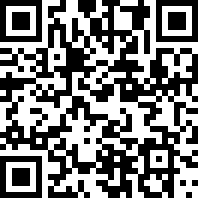
Як правільна ўсталяваць дадатак на iPhone?
- Адкрыйце App Store на вашай iOS прыладзе або націсніце кнопку загрузкі.
- Знайдзіце мабільны дадатак "Amazon Shopping", праверце патрабаванні прылады і націсніце "Усталяваць".
- Пачакайце, пакуль дадатак загрузіцца і ўсталюецца.
- Пацвердзіце ўсталяванне дадатка з дапамогай Face ID ці Touch ID.
- Адкрыйце дадатак Amazon Shopping і ўвайдзіце ў свой уліковы запіс.
- Пасля ўсталявання дадатка рэкамендуецца перыядычна правяраць абнаўленні.
Бяспека даных
Прыватнасць прыкладання
Практыка канфідэнцыяльнасці можа адрознівацца ѡ залежнасці ад такіх фактараў, як ваш узрост, уключаныя функцыі або іншыя фактары. Далей
Рэйтынгі і водгукі
Пра гэта прыкладанне
Amazon Shopping offers app-only benefits to help make shopping on Amazon faster and easier. Browse, view product details, read reviews, and purchase millions of products. Amazon delivers to 100+ countries in as quickly as 3-5 days. Whether you’re buying gifts, reading reviews, tracking orders, scanning products, or just shopping, the Amazon Shopping app offers more benefits than shopping on Amazon via your desktop. Never miss a delivery Get real-time tracking and delivery notifications so you know where your package is and when it arrives. Know exactly what you’re purchasing Full 360° product view lets you see items from every angle. “View in you room” makes sure it fits by using your phone’s camera and VR so you can see it in your space. We’ll notify you when items go on sale Just tap the heart icon to save items to Your Lists and we’ll alert you of price drops so you don’t miss a deal. Never forget your password Save time by staying securely signed in. If you prefer to sign out, use facial or fingerprint identification to sign back in. Connect with us when it works best for you Live chat support is open 24 hours, 7 days a week. Once you’ve started a chat, it stays that way for 24 hours so you don’t have to start your support session from the beginning. We’ll find that item for you Not sure of an item’s brand or where to but it? Just tap the scan icon in the search bar, take a picture of the item or its barcode, and we’ll find it for you. In order to provide a rich experience and enable features such as voice shopping, notifications, visual search, customer reviews, and authentication this app may request permission to access contacts, camera, microphone, notification, touch id, photos and Bluetooth. Amazon Shopping is available in English, Spanish, German, and Simplified Chinese. In addition to International Shopping, you can change your settings in this single app to shop Amazon.ca, Amazon.co.uk, Amazon.de, Amazon.fr, Amazon.com, Amazon.it, Amazon.es, Amazon.cn, Amazon.co.jp or Amazon.in. For customers located within the European Union, United Kingdom or Brazil: By using this app, you agree to Amazon’s Conditions of Use applicable for your country. Please also see the applicable Privacy Notice, Cookies Notice and Interest-Based Ads Notice for your country. Links to these terms and notices can be found in the footer of your local Amazon homepage. For all other customers: By using this app, you agree to the applicable Amazon Conditions of Use (e.g. www.amazon.com/conditionsofuse) and Privacy Notice (e.g. www.amazon.com/privacy) for your country. Links to these terms and notices can be found in the footer of your local Amazon homepage. If your device supports TrueDepth technology, the app will use your device camera to detect your facial movements only while using certain features such as virtually try-on products like sunglasses. All information processed using this technology remains on your device and is not otherwise stored, processed or shared by Amazon.
Журнал абнаўленняў
27.13.0
07/08/2026
Our new design provides easier access to the features you use most while on the go. This includes the homepage, account and order information, your cart and the ability to browse and discover Amazon departments, products, programs, and features.
27.11.2
12/06/2026
Our new design provides easier access to the features you use most while on the go. This includes the homepage, account and order information, your cart and the ability to browse and discover Amazon departments, products, programs, and features.
27.10.0
18/05/2026
Our new design provides easier access to the features you use most while on the go. This includes the homepage, account and order information, your cart and the ability to browse and discover Amazon departments, products, programs, and features.
27.9.0
04/05/2026
Our new design provides easier access to the features you use most while on the go. This includes the homepage, account and order information, your cart and the ability to browse and discover Amazon departments, products, programs, and features.
Інфармацыя
| Назва прыкладання: | Amazon Shopping |
| Бягучая версія: | 27.13.0 |
| Выпуск прыкладання: | 12-03-2008 |
| Назва пакета: | com.amazon.Amazon |
| Адгукі: | 8427657 |
| Рэйтынг: | 4.8 |
| Кошт (пакупкі ѡ прыкладанні): | 0 USD |
| Распрацоўшчык: | AMZN Mobile LLC |
| Вэб-сайт распрацоўшчыка: | https://www.amazon.com/ |
| Катэгорыя: | Shopping,Lifestyle |
| Даступныя мовы: | AR, BN, CS, DA, NL, EN, FR, DE, HE, HI, IT, JA, KN, KO, ML, MR, PL, PT, ZH, ES, SV, TA, TE, ZH, TR |
| Падтрымліваемыя прылады: | iPhone5s-iPhone5s, iPadAir-iPadAir, iPadAirCellular-iPadAirCellular, iPadMiniRetina-iPadMiniRetina, iPadMiniRetinaCellular-iPadMiniRetinaCellular, iPhone6-iPhone6, iPhone6Plus-iPhone6Plus, iPadAir2-iPadAir2, iPadAir2Cellular-iPadAir2Cellular, iPadMini3-iPadMini3, iPadMini3Cellular-iPadMini3Cellular, iPodTouchSixthGen-iPodTouchSixthGen, iPhone6s-iPhone6s, iPhone6sPlus-iPhone6sPlus, iPadMini4-iPadMini4, iPadMini4Cellular-iPadMini4Cellular, iPadPro-iPadPro, iPadProCellular-iPadProCellular, iPadPro97-iPadPro97, iPadPro97Cellular-iPadPro97Cellular, iPhoneSE-iPhoneSE, iPhone7-iPhone7, iPhone7Plus-iPhone7Plus, iPad611-iPad611, iPad612-iPad612, iPad71-iPad71, iPad72-iPad72, iPad73-iPad73, iPad74-iPad74, iPhone8-iPhone8, iPhone8Plus-iPhone8Plus, iPhoneX-iPhoneX, iPad75-iPad75, iPad76-iPad76, iPhoneXS-iPhoneXS, iPhoneXSMax-iPhoneXSMax, iPhoneXR-iPhoneXR, iPad812-iPad812, iPad834-iPad834, iPad856-iPad856, iPad878-iPad878, iPadMini5-iPadMini5, iPadMini5Cellular-iPadMini5Cellular, iPadAir3-iPadAir3, iPadAir3Cellular-iPadAir3Cellular, iPodTouchSeventhGen-iPodTouchSeventhGen, iPhone11-iPhone11, iPhone11Pro-iPhone11Pro, iPadSeventhGen-iPadSeventhGen, iPadSeventhGenCellular-iPadSeventhGenCellular, iPhone11ProMax-iPhone11ProMax, iPhoneSESecondGen-iPhoneSESecondGen, iPadProSecondGen-iPadProSecondGen, iPadProSecondGenCellular-iPadProSecondGenCellular, iPadProFourthGen-iPadProFourthGen, iPadProFourthGenCellular-iPadProFourthGenCellular, iPhone12Mini-iPhone12Mini, iPhone12-iPhone12, iPhone12Pro-iPhone12Pro, iPhone12ProMax-iPhone12ProMax, iPadAir4-iPadAir4, iPadAir4Cellular-iPadAir4Cellular, iPadEighthGen-iPadEighthGen, iPadEighthGenCellular-iPadEighthGenCellular, iPadProThirdGen-iPadProThirdGen, iPadProThirdGenCellular-iPadProThirdGenCellular, iPadProFifthGen-iPadProFifthGen, iPadProFifthGenCellular-iPadProFifthGenCellular, iPhone13Pro-iPhone13Pro, iPhone13ProMax-iPhone13ProMax, iPhone13Mini-iPhone13Mini, iPhone13-iPhone13, iPadMiniSixthGen-iPadMiniSixthGen, iPadMiniSixthGenCellular-iPadMiniSixthGenCellular, iPadNinthGen-iPadNinthGen, iPadNinthGenCellular-iPadNinthGenCellular, iPhoneSEThirdGen-iPhoneSEThirdGen, iPadAirFifthGen-iPadAirFifthGen, iPadAirFifthGenCellular-iPadAirFifthGenCellular, iPhone14-iPhone14, iPhone14Plus-iPhone14Plus, iPhone14Pro-iPhone14Pro, iPhone14ProMax-iPhone14ProMax, iPadTenthGen-iPadTenthGen, iPadTenthGenCellular-iPadTenthGenCellular, iPadPro11FourthGen-iPadPro11FourthGen, iPadPro11FourthGenCellular-iPadPro11FourthGenCellular, iPadProSixthGen-iPadProSixthGen, iPadProSixthGenCellular-iPadProSixthGenCellular, iPhone15-iPhone15, iPhone15Plus-iPhone15Plus, iPhone15Pro-iPhone15Pro, iPhone15ProMax-iPhone15ProMax, iPadAir11M2-iPadAir11M2, iPadAir11M2Cellular-iPadAir11M2Cellular, iPadAir13M2-iPadAir13M2, iPadAir13M2Cellular-iPadAir13M2Cellular, iPadPro11M4-iPadPro11M4, iPadPro11M4Cellular-iPadPro11M4Cellular, iPadPro13M4-iPadPro13M4, iPadPro13M4Cellular-iPadPro13M4Cellular, iPhone16-iPhone16, iPhone16Plus-iPhone16Plus, iPhone16Pro-iPhone16Pro, iPhone16ProMax-iPhone16ProMax, iPadMiniA17Pro-iPadMiniA17Pro, iPadMiniA17ProCellular-iPadMiniA17ProCellular, iPhone16e-iPhone16e, iPadA16-iPadA16, iPadA16Cellular-iPadA16Cellular, iPadAir11M3-iPadAir11M3, iPadAir11M3Cellular-iPadAir11M3Cellular, iPadAir13M3-iPadAir13M3, iPadAir13M3Cellular-iPadAir13M3Cellular, iPhone17Pro-iPhone17Pro, iPhone17ProMax-iPhone17ProMax, iPhone17-iPhone17, iPhoneAir-iPhoneAir, iPadPro11M5-iPadPro11M5, iPadPro11M5Cellular-iPadPro11M5Cellular, iPadPro13M5-iPadPro13M5, iPadPro13M5Cellular-iPadPro13M5Cellular, iPhone17e-iPhone17e, iPadAir11M4-iPadAir11M4, iPadAir11M4Cellular-iPadAir11M4Cellular, iPadAir13M4-iPadAir13M4, iPadAir13M4Cellular-iPadAir13M4Cellular |
Падобныя мабільныя прыкладанні
| Назва прыкладання | Рэйтынгі | Усталяванні | Абноўлена | Версія |
|---|---|---|---|---|
| Virtual Post | 3.00 | 10,000+ | 27.12.2025 | 0.9.9 |
| Meest Poshta: Parcel Delivery | 3.98 | 1,000,000+ | 12.08.2026 | 1.4.7 |
| QatarPost | 2.42 | 50,000+ | 03.08.2026 | 9.9.57 |
| QazPost by Qazpost.kz | 1.29 | 500,000+ | 15.08.2026 | 1.9.7 |
| GLS Hungary | - | 100 000+ | 17.06.2026 | 1.119.3 |
| GLS - Send and receive parcels | - | 500.000+ | 02.07.2026 | 4.2.0 |
| GLS WorkSmart | - | 5 000+ | 29.08.2024 | 2.01.51 |
| Georgian Post | - | 5,000+ | 14.08.2026 | 4.20 |
| Nox Play | - | 1+ | 13.08.2025 | 1.0.0 |